Discord
Give an agent a Discord bot, so channel messages, mentions, reactions, and direct messages reach them and they can answer in Discord.
On this page: Create a Discord bot, Add and invite a bot, Configure channels and delivery, Direct messages and requests, and What the agent does with messages.
The discord extension is off by default. Open /extensions in the terminal or
web client and enable discord before adding a bot.
Create a Discord bot
- Open the Discord Developer Portal and create an application.
- Under Bot, create a bot user and copy its token.
- Under Privileged Gateway Intents, enable Message Content Intent.
Albedo connects with guilds, messages, message reactions, direct messages,
and message content intents. Without Message Content Intent, Discord
closes the gateway with code
4014(disallowed intents). - Copy your own Discord user ID (a 15–22 digit number; enable Developer Mode in Discord's advanced settings, then copy your user ID from your profile).
Add and invite a bot
Open /discord in the terminal or web client and create a bot with:
- Name: a label shown in
/discord. - Session: the persistent session the bot belongs to. One session can have at most one bot.
- Token: the bot token from the Discord Developer Portal. Tokens are stored write-only and never read back to clients.
- Your Discord user ID: you are always allowed to DM the bot.
Once created, the bot card shows its status (off, connecting, online,
reconnecting, or failed) and an invite link (Copy invite) using the bot's
application ID with scope=bot. Open that link to add the bot to a server.
Configure channels and delivery
Expand Channels and DMs on a bot card to see the servers and text channels the bot can read. Each channel has a delivery mode and a mentions toggle:
| Setting | Behavior |
|---|---|
ignored | Messages and reactions in this channel never reach the agent. |
after the turn | Events wait in the inbox and are read once the current turn ends. |
interrupts the turn | Events steer a running turn at its next step. |
mentions only | Only messages that mention the bot, and reactions on bot-authored or already-delivered messages, are forwarded. |
Only conversational messages (DEFAULT, REPLY, and slash or context-menu
replies) are ingested. Discord system notices such as pins, member joins, and
boosts are skipped.
Direct messages and requests
Direct messages from you and from anyone on the bot's allowed list are delivered immediately (interrupting a running turn).
When someone who is not on the allowed list sends a DM, their message is not
forwarded to the agent. Instead, /discord records a pending request showing
their user ID, username, count, and latest message preview so you can allow or
dismiss them. You can also add a user ID to the allowed list directly in
/discord.
What the agent does with messages
Each message reaches the agent with its channel, author, and time, and reactions say who reacted to which message. The agent decides whether to answer: they can reply in the channel, react, read earlier messages for context, DM you or an allowed person, attach files, or stay silent when nothing needs saying.
Here an agent named bunny answers ana in a direct message, quoting the message it replies to:
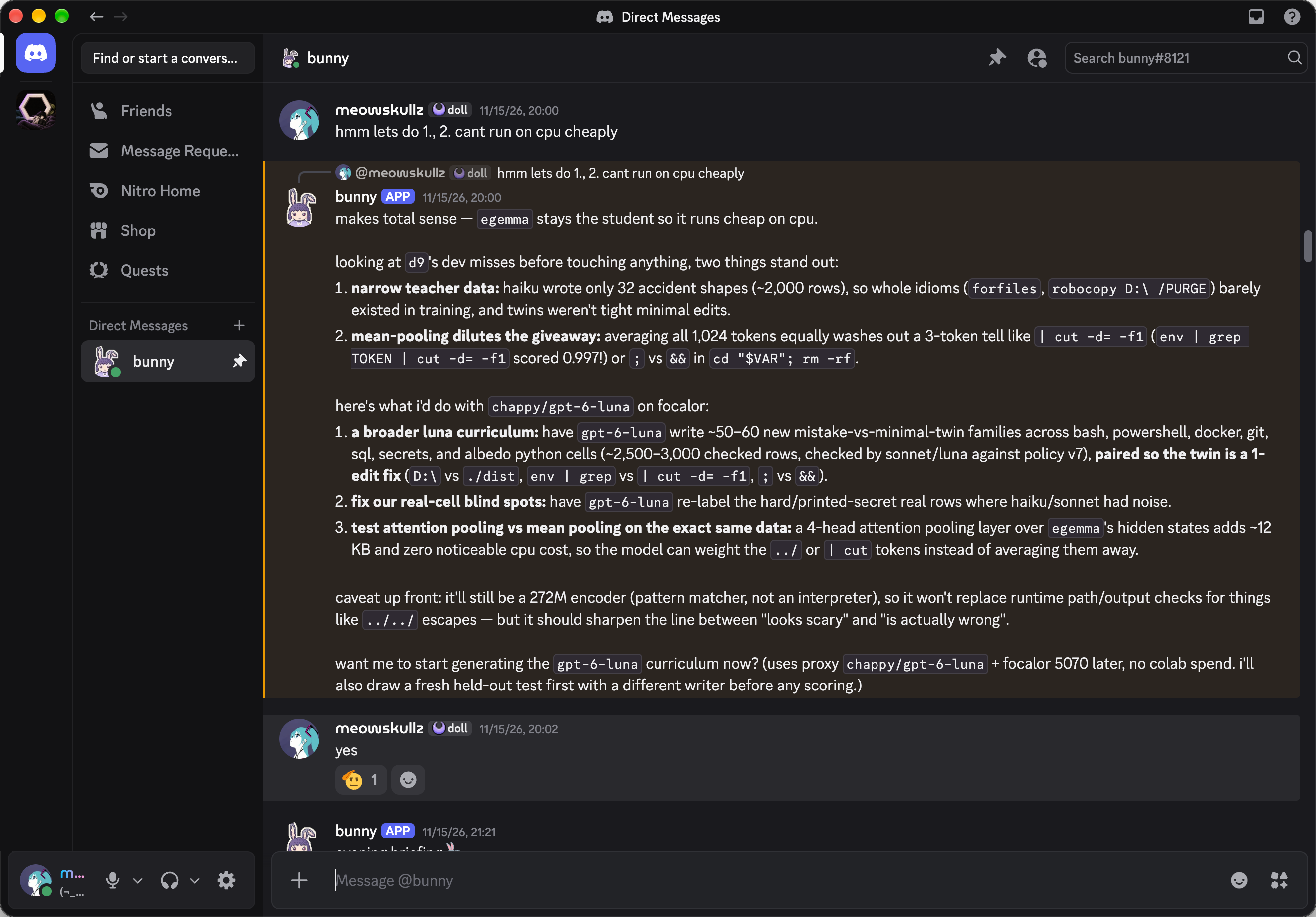
It helps to tell the agent about the place, the way you would a new teammate. Say it in the session the bot belongs to:
general is where dawn and i are both reachable in the same server. if you need to discuss things with us, discuss here.
hey, can you dm me on discord every morning at 9 with a summary of recent commits and what you think of them?
people ask about albedo in #help sometimes. jump in whenever you know the answer, and tell me if the docs let someone down.
A reply longer than 2,000 characters is split into several messages, on line boundaries when possible. A message carries up to 10 files of at most 10 MiB each.
Discord messages and reactions are treated as conversation, not as instructions from you: the agent weighs what people in a channel say, and takes direction from you. See the Discord implementation reference for daemon internals.
Previous web client Next webhooks