Artifacts
An artifact is a web page Albedo makes for you: a chart, a diagram, a prototype, a small tool, a comparison, or a whole built app. It opens beside the chat in the web client, and as a link to your browser in the terminal client.
On this page: Ask for one, Iterate on it, Live data, Open, find, and delete, and Limits.
Artifacts are enabled by default. Every version is kept, and an artifact outlives the conversation it was made in.
Ask for one
Albedo makes an artifact unprompted when seeing or using something beats reading about it. You can also ask, the way you would ask a teammate:
i can't picture these three layouts from a description. can you put them side by side in an artifact?
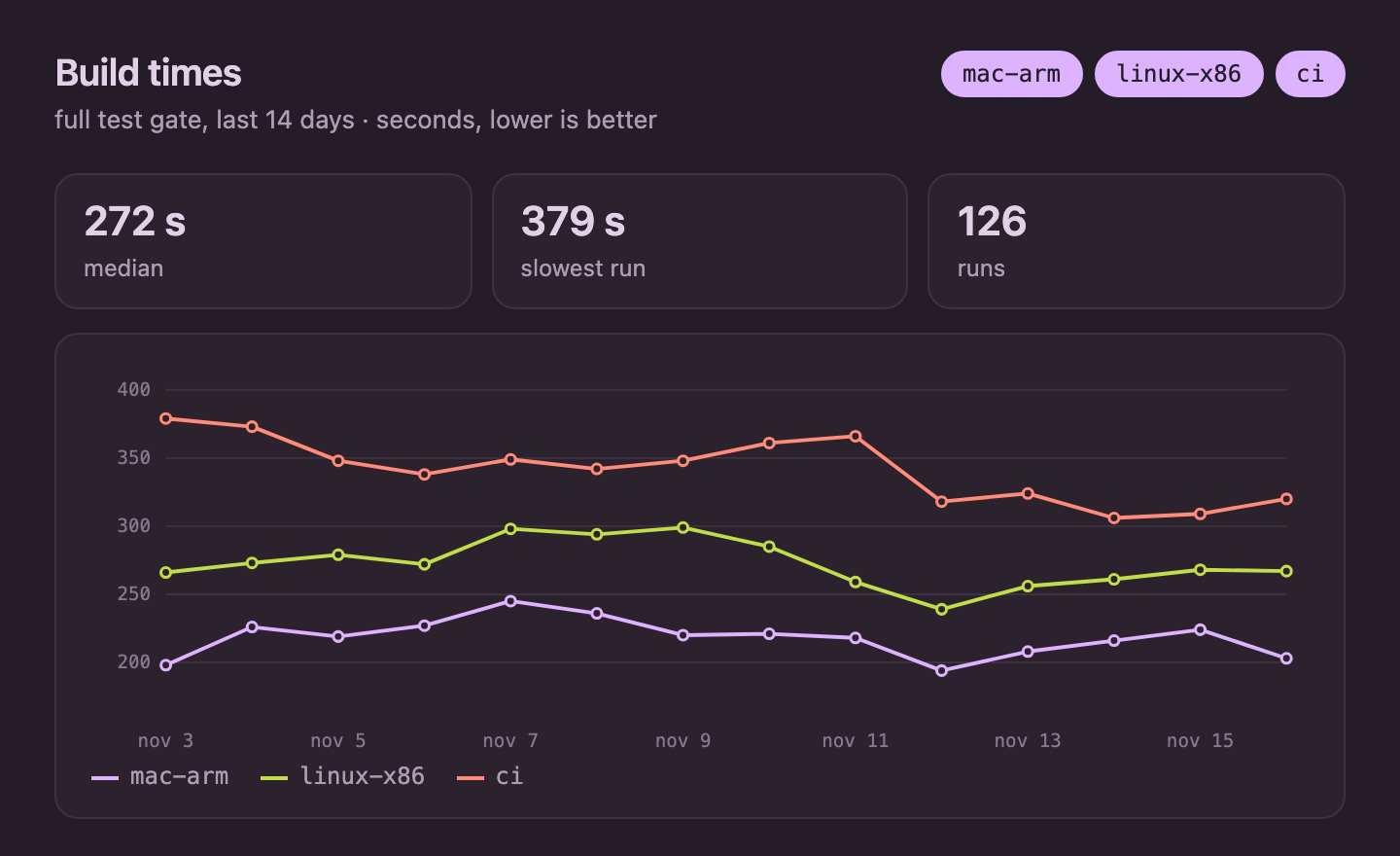
here's the benchmark output. could you chart it so i can flip between machines? curious what jumps out at you too.
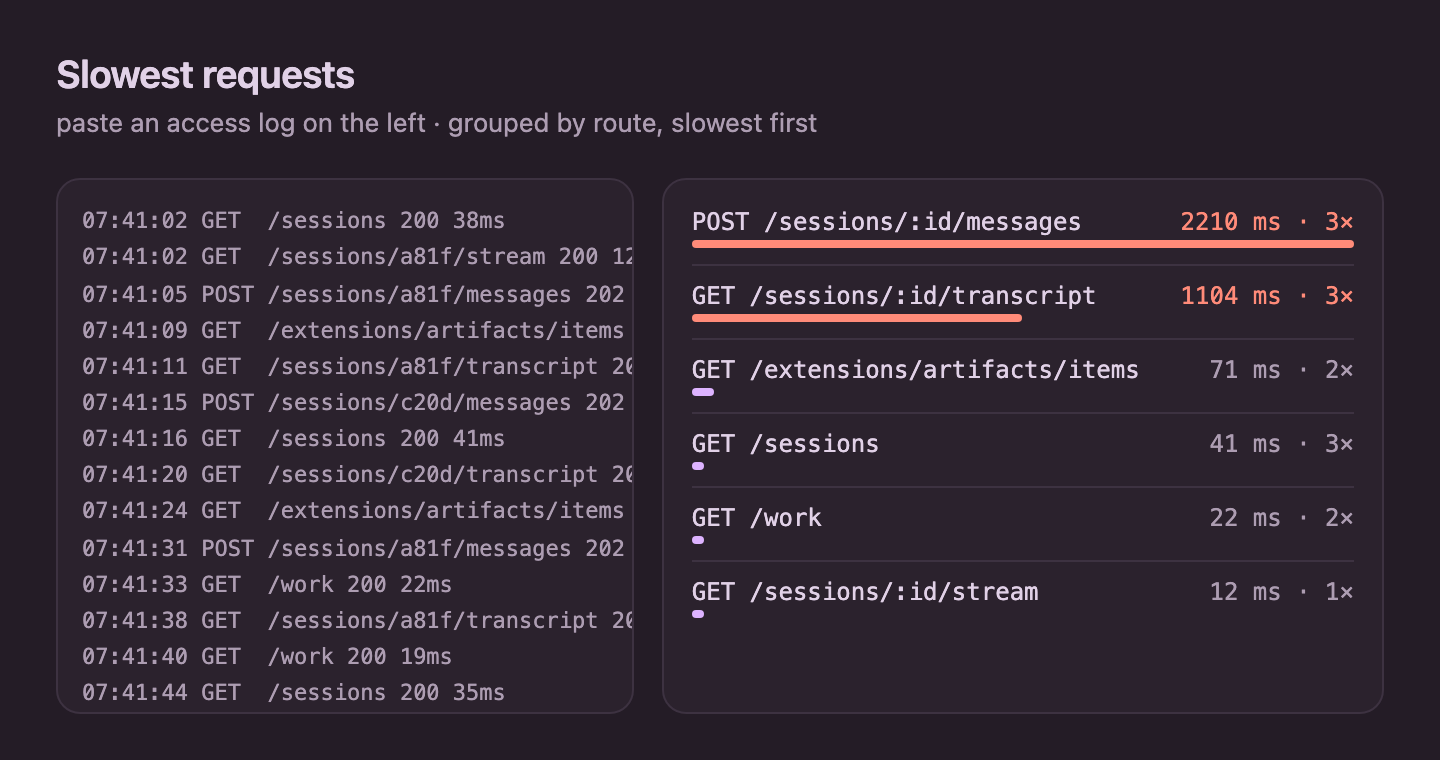
i keep squinting at these logs. want to build us a little tool where i paste one in and we see the slowest requests?
i still don't really get how a request travels through the daemon. can you draw it for me?
can you make an artifact with live data tracking the open issues on this repo? i'd like to keep it open on the side.
The chart prompt gives a page like this one, where the buttons in the corner show and hide each machine:
And the log prompt gives a tool you can keep using after the conversation ends:
A page can load charting, mapping, and 3D libraries from the network, so ask for the thing you want to see rather than for a technology.
Iterate on it
Keep talking, and Albedo revises the same artifact instead of making a new one. The open window follows each new version, so you watch it change.
iterate with me in an artifact? throw out a few ideas, whatever you think looks good, and i'll pick.
ooh, the second one. a bit quieter though, and can i see it in light mode too?
what do you think about a slider for the threshold? i'd love it to remember where i left it.
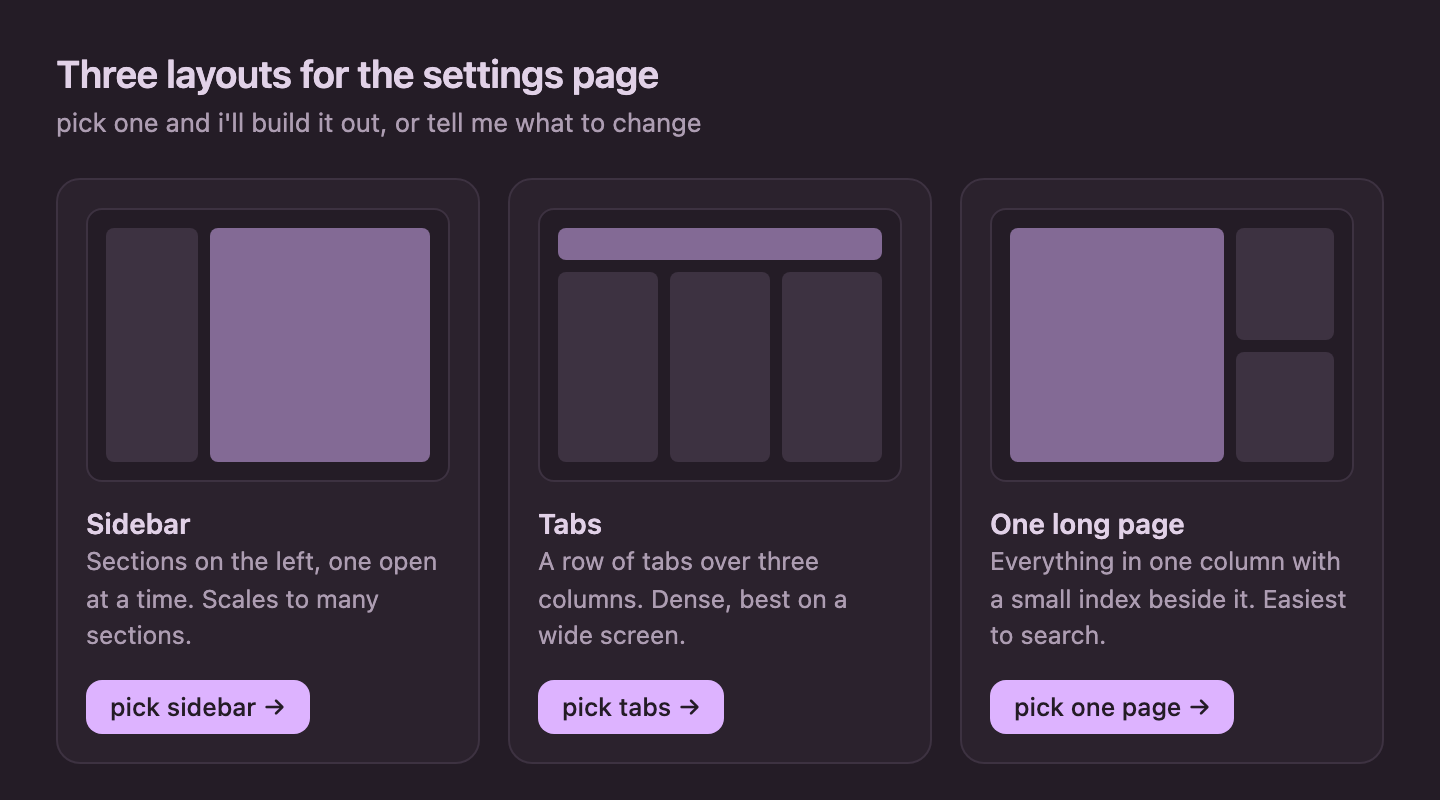
Pages can talk back. A button in an artifact can send a message to the chat as you, such as the option you picked above, and only when you click it. A page also remembers its state across reloads and versions, and Albedo can read that state and any error the page threw. You can say "look at what I selected" or "the chart is blank, check its errors" without describing either.
Live data
An artifact runs in a sandbox with the network on and no access to Albedo or your files. That gives two ways to keep one current:
- The page fetches for itself. For anything reachable from a browser, such as a public API or a status endpoint, ask for a page that polls it.
- Albedo publishes a new version. For data only your agent can reach, such
as your repository, a database, or a remote host, ask Albedo to refresh the
artifact, or put it on a schedule:
/schedule add every:3600 refresh the build-times artifact.
Open, find, and delete
- Web client: a new artifact opens beside the chat that made it, or inside
the chat on a phone. Press
a, or choose artifact: open… in the command palette, to search every artifact you have. artifact: delete… removes one and all its versions for good. - Terminal client: the transcript shows a row such as
↗ open artifact albedo made for you: build times. Open it from that row to view it in your browser, or copy its address. The tab reloads itself as Albedo revises the page.
Limits
One file can be at most 16 MiB and one version at most 64 MiB. A built app is
uploaded whole, without .git, node_modules, .DS_Store, or __pycache__.
Treat a page as code your agent wrote: it is sandboxed away from the daemon, but
it can use the network.
See the Artifacts implementation reference for storage and serving isolation details.
Previous agents & worktrees Next remote kernels